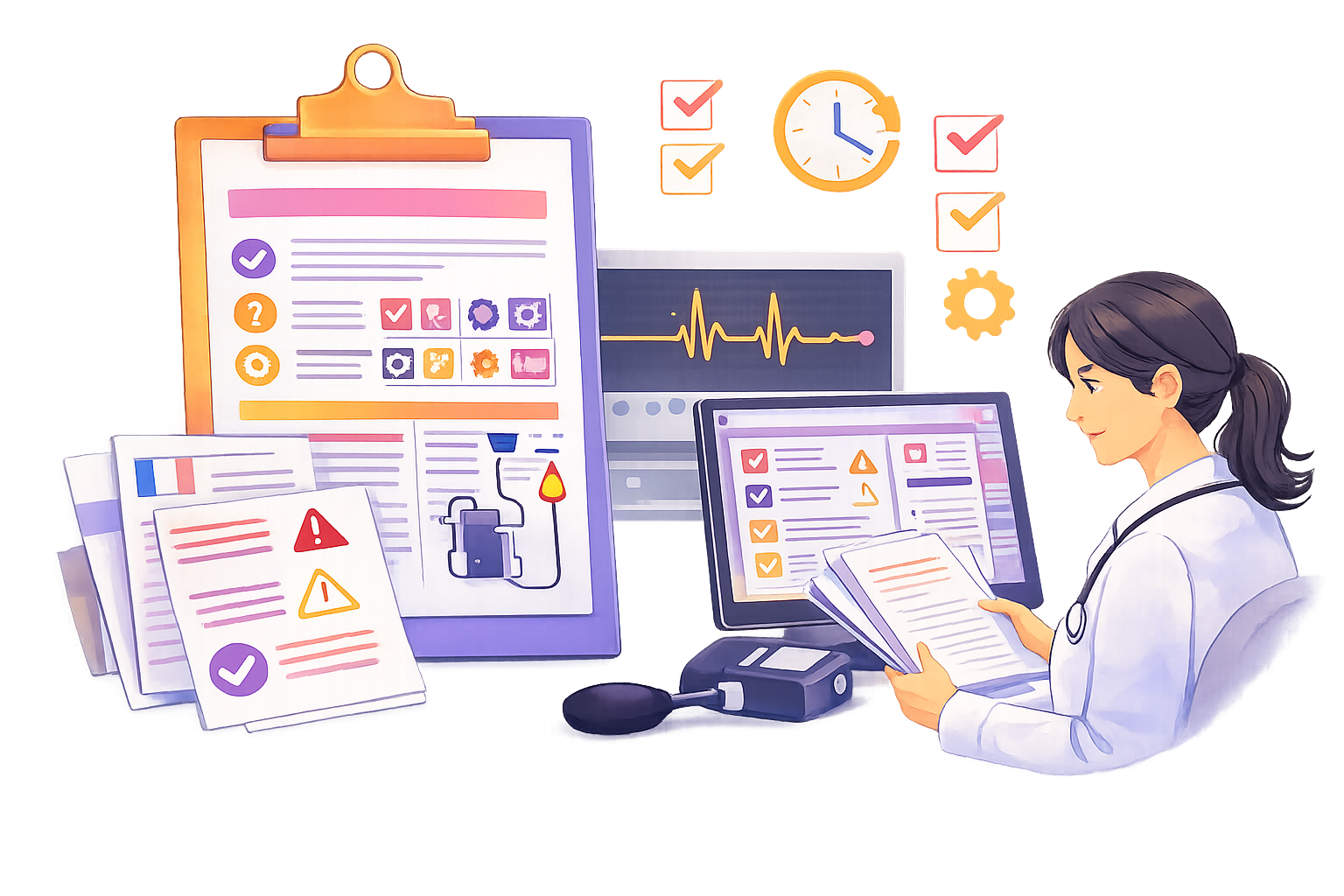
Most companies treat content as a side deliverable. In reality, content is a product. It drives adoption, reduces support, and builds trust.
Designing, building, testing and shipping a product such as enterprise software or even an aircraft requires structure and rigor. You need roadmaps, processes, objectives, skilled teams and clear market insights.
So why should content be treated differently?
Your documentation is a product. It deserves the same discipline, iteration and quality standards as any solution your company delivers. Apply product thinking to content and you will create documentation that works, scales and lasts.
What makes a good product?
Although definitions vary, here are 5 criteria that are commonly accepted to evaluate if a product is hitting the spot (and how it applies to content):
#1: It solves a real problem
As obvious as it may sound, it is always nice to remember that your content will serve an important purpose: giving relevant information to whom it concerns.
Keeping that in mind helps you design your content the right way, and justifies borrowing techniques from product design: feedback loops, support insights, impact metrics, problem-solving focus.
It is also never a waste to keep clearly in mind who is your audience, and use personas as much as possible. Would Nina benefit from this content? What level of information does Edward need?
#2: It is easy and nice to use
An intuitive, easy-to-navigate product will always have more success as it can onboard first-timers and generate less frustration. You’ll have a good time, and certainly come back to using it.
Your content should provide the same kind of experience to your readers. Finding information easily, quickly, and with enough error return. An empowering online course will have trainees gladly come back for more. An efficient troubleshooting guide will build trust for the user, who will feel safe when facing errors.
#3: It is reliable
We all hate bugs, lags, crashes, outages, breakdowns and failures of any kind, don’t we?
So for content, we want to deliver quality and reliability, because outdated information, inaccuracies, inconsistencies, omissions or misleading procedures can be as painful as when your car won’t start in a wintery morning.
#4: It is scalable and sustainable
As opposed to bugs, we love having new features, updates, fixes and quality-of-life improvements in our products. It comforts us, we feel listened to, taken care of, our needs seem considered.
If your content is built in such way that you can maintain, enrich, and fix it easily, the users will be satisfied and trustful, they will rely on available content and be confident that their expectations will keep being matched in the future.
#5: It creates habits
The final, and very important characteristic of a successful product is that it’s so good you will naturally use it, and form habits around it.
When it is good, users will build the reflex to browse documentation before asking the support. Readers will subscribe and look forward to read the next good article. Processes will become more fluid and efficient if based on good and reliable internal documents.
How to reach this level of quality for content?
You will never invest the same budget or workforce in documentation as your company does in its core products. But you do not need to. Many of the same practices can be adapted. By borrowing proven methods from product teams and scaling them to your needs, you can start treating content like the product it truly is.
| A product has… | What it does for the product | What it could do for content |
|---|---|---|
| Roadmap | Defines priorities Informs the users and contributors | Exactly the same |
| Ownership | Ensures accountability Gets attention on outcome | Exactly the same |
| Versioning | Supports continuous improvements Enables safe iteration and backward compatibility | Exactly the same |
| User feedback | Validates decisions Uncovers real-world issues | Exactly the same |
| Quality | Builds trust, retains users Reduces support burden | Exactly the same |
| Lifecycle | Keeps it relevant Plans for its evolution | Exactly the same |
| Reviews | Catches problems before users do Improves consistency | Exactly the same |
| Workflows | Streamlines execution Prevents friction | Exactly the same |
| Metrics/Analytics | Measures adoption, quality, engagement Guides decision making | Exactly the same |
I think you see where I am going now. You may already have a few of these for your content: probably reviews, a little user feedback through support, a vague idea of the quality.
By widening your vision and allowing your team and yourself to build a solid framework for producing documents, you will see positive outcomes, and as a little bonus, feel more purposeful in your work compared to just “shipping docs because you have to”.
What concrete action you can take
Build a backlog, not a dumping ground
Documentation tasks too often live in limbo: lost in email, buried in tickets, or sitting in someone’s head.
A doc backlog gives you:
- Visibility on what needs doing
- Clarity on priorities
- A single place to triage, plan, and delegate
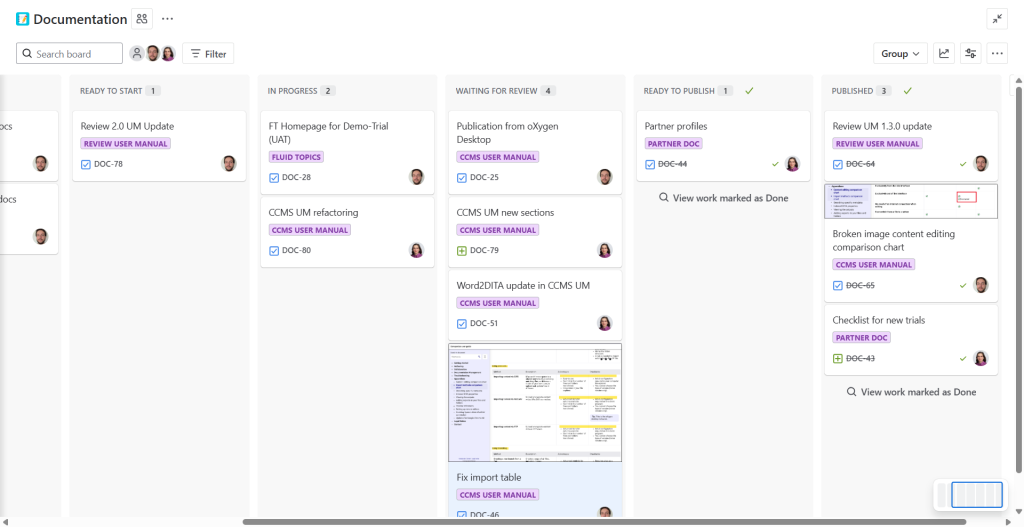
What belongs in your doc backlog:
- New documents/topics to write
- Improvements or rewrites
- Releases linked to product upgrades
- Reuse cleanups or modularization
- Feedback from users or support
- Technical debt (e.g. broken links, outdated screenshots)
All these should have a priority level
Best practice tip: Create simple labels: Feature-related, UX issue, Structural, SME pending
And schedule monthly triage sessions with product or support teams.
Document in iterations, not in big bangs
Treating content like a product means thinking in versions — not just deliverables.
Your docs don’t have to be 100% complete to be published. They have to be:
- Accurate enough to be useful
- Scoped enough to be improved later
- Integrated enough to be findable
Start with a minimal version. Ship it. Improve it. Repeat.
If you work in DITA, this is where topic-based authoring + maps really shine: you can deliver progressively, structure flexibly, and track updates precisely.
Best Practice Tip: Include docs in your product roadmap — and align content releases with dev sprints, or offset them by one sprint to account for review cycles.
Design the experience, not just the content
If content is a product, then users need to navigate it like one.
That means:
- Consistent structure = intuitive UX
- Clear titles = meaningful navigation
- Modular reuse = consistent messages
- Labels, filters, maps = guided discovery
- Indexation and research with metadata = efficiency and shortcuts
Start asking:
- Can users find this in two clicks?
- Is the most essential task covered first?
- Are we repeating ourselves in 4 places… differently?
Best Practice Tip: Pick one user journey (e.g., onboarding, troubleshooting) and map it as a flow. See where content supports or breaks the experience.
Make feedback your default loop
Feedback isn’t a nice-to-have. It’s how you know what to improve next.
Sources of content feedback:
- Support tickets → what docs are missing or unclear
- Internal SME comments → validation and nuance
- Search logs → what users looked for but didn’t find
- Page metrics → what’s read, what’s abandoned
Best practice tip: Create a visible “Documentation Improvement Queue” — even a shared board works. Let anyone contribute. And show what gets done.
Prioritize for scale, not volume
You can’t document everything. And you shouldn’t try to.
Instead, focus on content that:
- Reduces friction (e.g., setup, errors, workflows)
- Gets reused across deliverables or audiences
- Aligns with product goals or support insights
Use themes or epics for content work:
- “Improve first-time user flow”
- “Refactor and reuse core API topics”
- “Reduce SME review cycles on critical modules”
Best practice tip — Use operational metrics that matter:
- % of reused topics
- Topics reviewed this quarter
- Average time between request and publish
Not just number of pages written.
Conclusion
A content strategy gives you direction. Product thinking gives you motion.
When you manage your docs like a product:
- You prioritize for impact
- You design for real usage
- You scale without chaos
It is probably in your best interests to have a chat with other teams and try find inspiration in their methods to improve yours. Maybe your UI/UX designer can teach you about Discovery processes, or the DevOps can give you good advice to use agility in your own way.
Treat your content like it matters — and your team, your users, and your roadmap will thank you.
COMPONIZE
Newsletter
Get expert insights on structured content and stay ahead in technical documentation.
Sign up to our monthly newsletter !