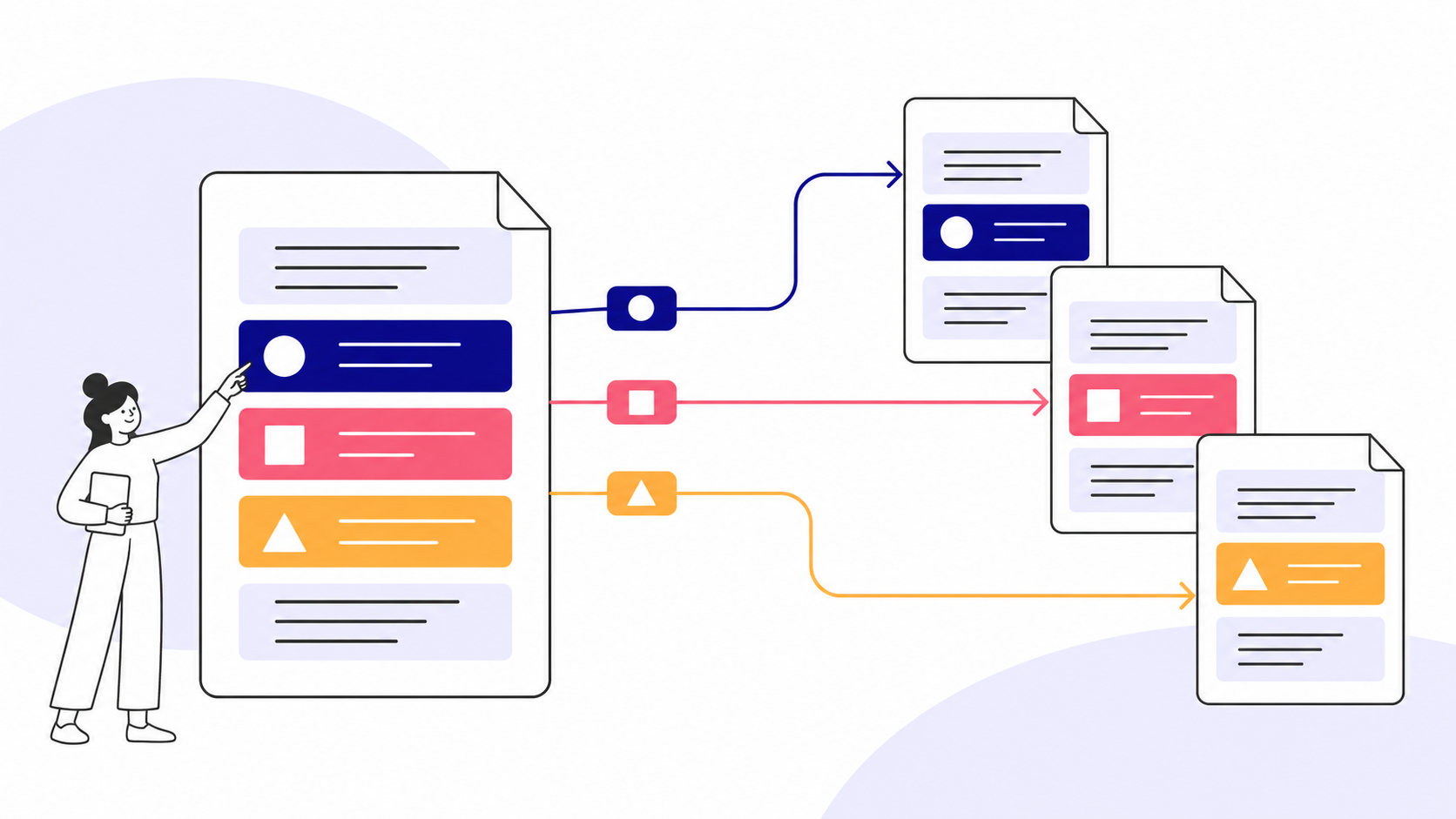
Structured content management frequently employs a technique known as profiling. Another frequently used name is applicability. Regardless of the name, the principles are the same.
How content profiling works
At its core, the concept is very simple:
A profile is a label on a piece of information, with the label saying that the information is applicable for a specific profile. We might add a profile saying (and I’m paraphrasing here) audience is “expert” and product variants are “A and B”. What this means is that the information is only relevant for experts reading about product variants A and B.
But the profile also implies that if you’re a novice reading about product variant C, the information is not relevant. So, for a step-by-step instruction covering products A, B, and C, we might get something like this:
- Do this.
- Product A Also do this.
- Product B Instead do that.
- Product C Do this instead.
- Finish by doing this.
Here, steps 1 and 5 apply to everything. Step 2 is for Product A, step 3 for Product B, and step 4 for Product C. This, of course, was employed in instructions long before structured information came along, but with XML and information standards like DITA and S1000D, we can apply markup to profile our content explicitly, in a machine-readable way. For example, we might use a single source instruction that uses markup to profile the contents to publish different versions for A, B, and C.
The Product A profile would output this:
- Do this.
- Also do this.
- Finish by doing this.
Product B would look like this:
- Do this.
- Instead do that.
- Finish by doing this.
And I’m sure you’ll figure out C.
Of course, pretty much anything that can be expressed with markup can be a profile, and a profile can be multiple conditions at once (product A, audience B, region C). Also, the profile(s) can be applied on any content, from single steps to entire chapters.
Writing a single document with multiple profiles marked up can then cover many different situations and configurations, some of which may even contradict each other. This is the truer meaning of single-source publishing—a single document can, with the help of profiling, be published in multiple contexts.
Setting the Profiling Context
Let’s say that we have a document containing multiple profiles. That single document can be published in multiple contexts, for multiple audiences, for multiple product variants, etc. How do we set the context?
It depends.
A common use case is to simply inject a parameter setting the profile(s) to the publishing stylesheet. The document itself remains unchanged, but the stylesheet is given a set of profiles to look for (and others to ignore) and will process the document accordingly.
Another, equally common, use case is to set a “root profile” on the document root. With a single input file, this requires changing the actual file by adding profiling markup (attributes, usually) to the root element and assuming a “relational hierarchy” where the root profiles take precedence over anything in descendant branches and leaf nodes.
A third use case assumes a multifile source where the root document links to reusable topics—DITA and S1000D both employ this sort of topic-based approach. In some variants, the root document linking to reusable topics is just a skeleton, already “pre-profiled” for a specific context with specific profile settings. In others, the root is accompanied by a file containing a set of parameters that define the profiling context.
Common to them all is the assumption of a “master” set of profiles determining how the sources are to be used. A hierarchy, really.
DITA Profiling
The DITA approach to profiling is a combination of things. DITA is topic-based, so it makes perfect sense to add profiling markup to topics—descendant elements and root elements alike—to allow a single topic to cover multiple contexts, IF it makes sense to do so. It makes equal sense to create one topic per profile, though; it all depends on what is easier.
DITA then has multiple mechanisms in place to set the context for a specific publication:
- Profiles may be set on maps and bookmaps to set “fixed contexts” for those maps and bookmaps. They will always publish in those contexts because they assume that any descendant will take lower precedence. The top profile in a tree sets the context.
- Multiple variants of those maps may be included in a single publication, exact copies in everything but the profiles. This will commonly result in a publication with the same topics used in different contexts, sequentially.
- External profiling filters may be applied on a publication or parts of the publication to set context(s) for that particular publication. These external filters, containing profiling conditions (exclude every product except C, include audience B), are known as DITAVALs.
- And variants of these. DITA is very flexible when it comes to profiling, maybe too flexible.
DITA Markup Example
Here’s a trivial example of a profiled topic:
<topic id="my_second_portal_topic" product="A B" audience="D E">
    <title>Second Portal Topic</title>
    <body>
        <p>This is for all platforms and audiences</p>
        <p platform="X" audience="D">This is for platform X, audience D</p>
        <p platform="X" audience="E">This is for platform X, audience E</p>
        <note audience="E">
            <p>This is a note for audience E</p>
        </note>
        <p>Find this string: projector.</p>
    </body>
</topic>
The topic root element says that the topic applies to products A and B, and audiences D and E. You’ll note that there are two profiled p elements in the text body. The first is for audience D:
<p platform="X" audience="D">This is for platform X, audience D</p>The second is for audience E:
<p platform="X" audience="E">This is for platform X, audience E</p>Note that both profiles apply to platform X, which is not mentioned elsewhere in the topic. Unless a platform filter is set by a referencing DITA map or a DITAVAL filter, it’s simply going to be applicable everywhere. For example, if you were to apply platform Y to a calling map or a DITAVAL filter, both p elements would be left out, regardless of other filters.
A DITA filter is largely hierarchical in nature, with specific rules applying to what filter applies and where, depending on the node’s location in a “tree”.
DITAVAL Filters
A specific DITA mechanism, known as a DITAVAL filter, can be applied to DITA content, profiling DITA resources and any descendants at the time of publish (well, actually before, too; the DITA spec is your friend). The DITAVAL filter is really just a separate XML file that declares a set of profiles (filters) to be used when processing a DITA resource. Here’s an example:
<val>
    <prop action="exclude" att="product"/>
    <prop action="include" att="product" val="B"/>
</val>
This does two things. First, it excludes all products, then it includes one product, B. In other words, it limits the processing to exactly one product, B.
Multiple such filters can be added to the DITAVAL file, of course, and there is more to the DITAVAL syntax than this simple example. Again, the DITA spec is your friend.
Note that a common convention is to apply the file extension .ditaval to DITAVAL XML files.
A DITAVAL, then, is an external set of processing conditions applied to a DITA resource. It comes into effect only if and when it is used, and it acts on DITA markup that is profiled accordingly.